What's inside
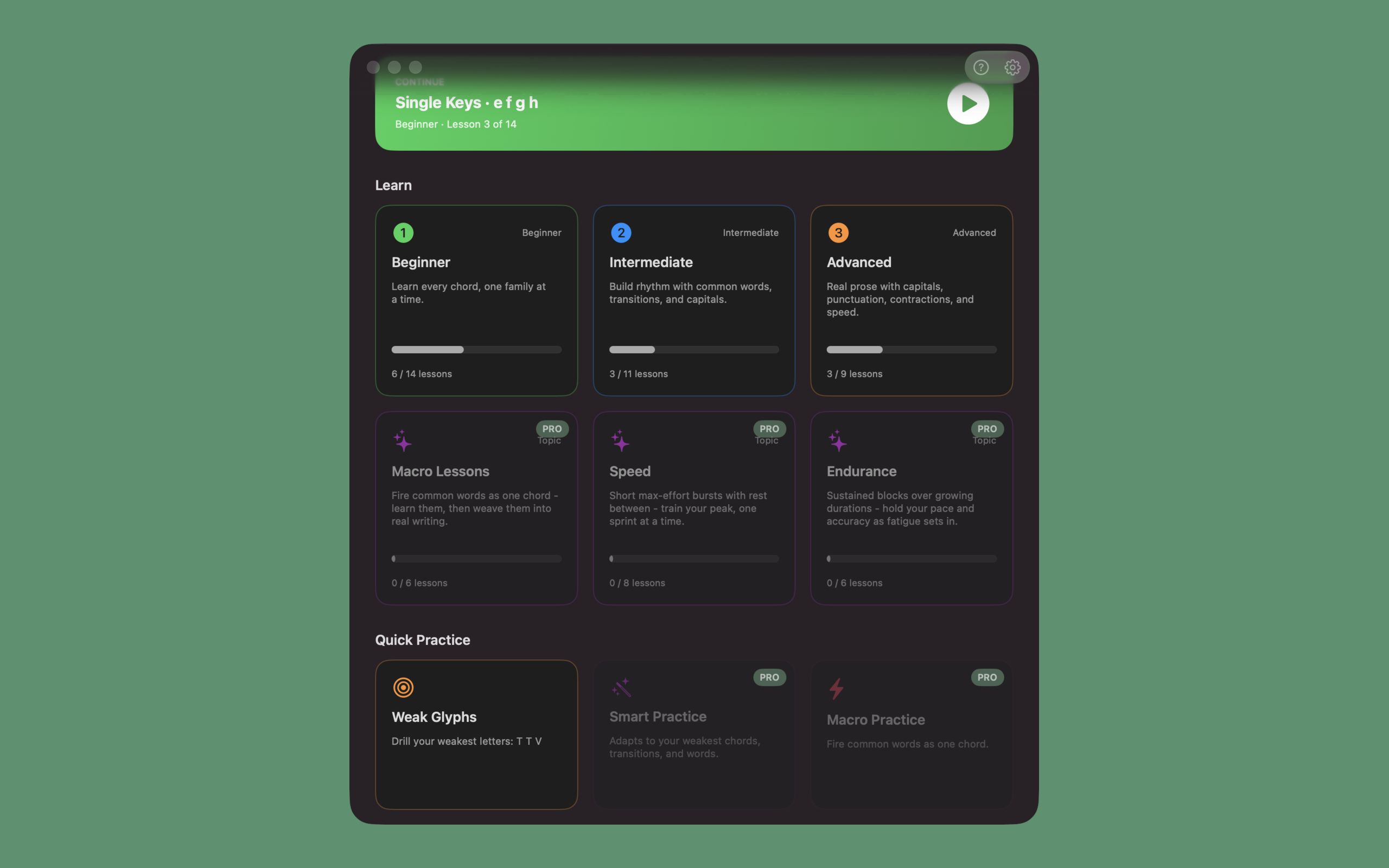
The whole core curriculum is free, with no trial and nothing important hidden behind a paywall. It takes you from your very first keystroke all the way to typing without looking down.
Guided lessons
A guided path, from first key to full prose
You start on single keys and climb through words, sentences, and longer passages as you go, along a track that runs Beginner to Advanced with focused Topics beside it. Hints and flash cues are there at the start and fade as you speed up. Clear each lesson's accuracy bar to pass, then come back for its Silver and Gold speed goals.
Any keyboard
The board you use, and the layout on top of it
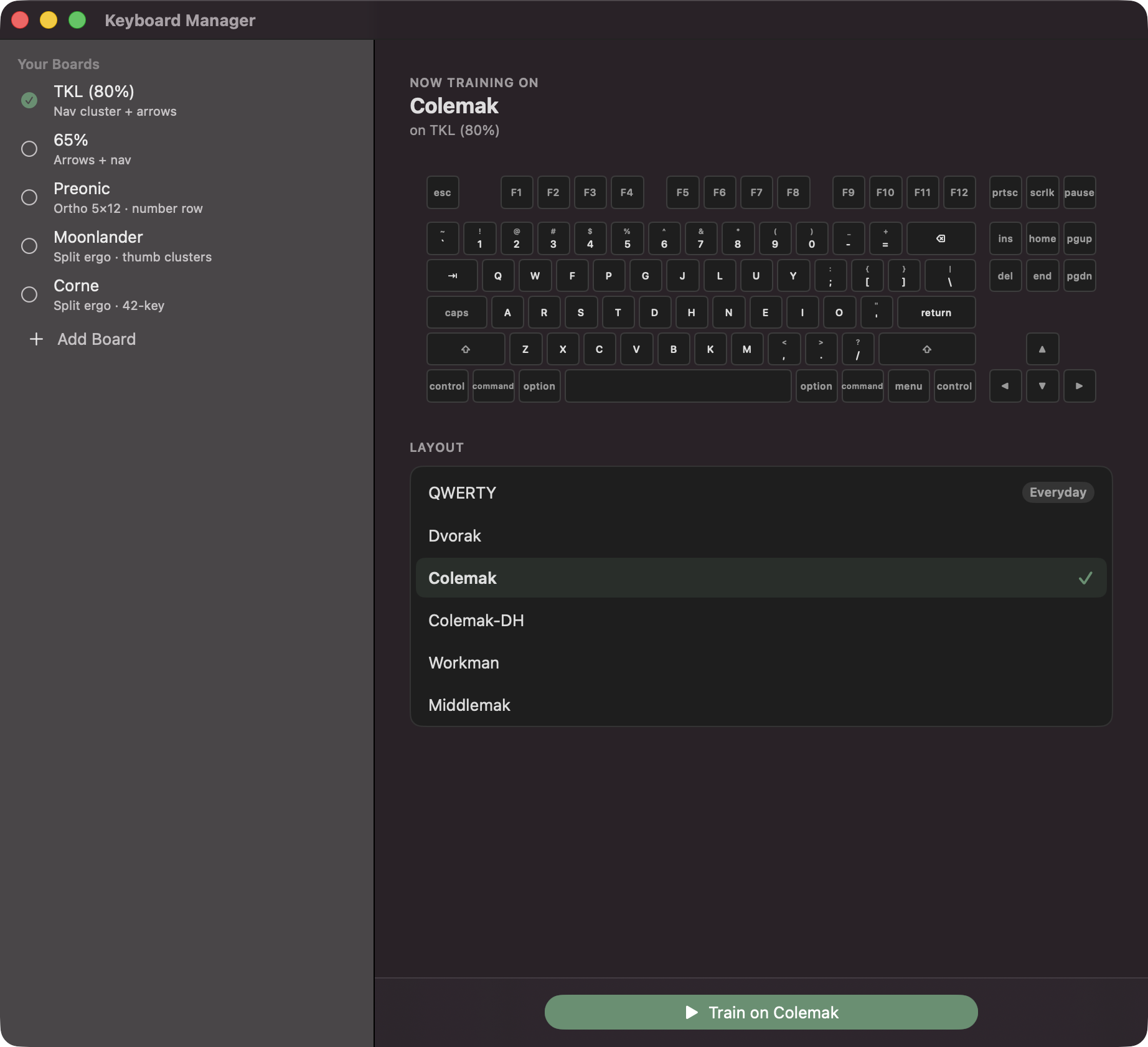
Pick a physical board and a layout separately in the Keyboard Manager, from full-size ANSI to split ortho boards like the Corne, Kyria, and Lily58. Built-in layouts include Dvorak, Colemak, and Workman. The lessons, on-screen diagram, and stats all rebuild around whatever you choose.
Chorded keyboards
Still the best way to learn the Twiddler
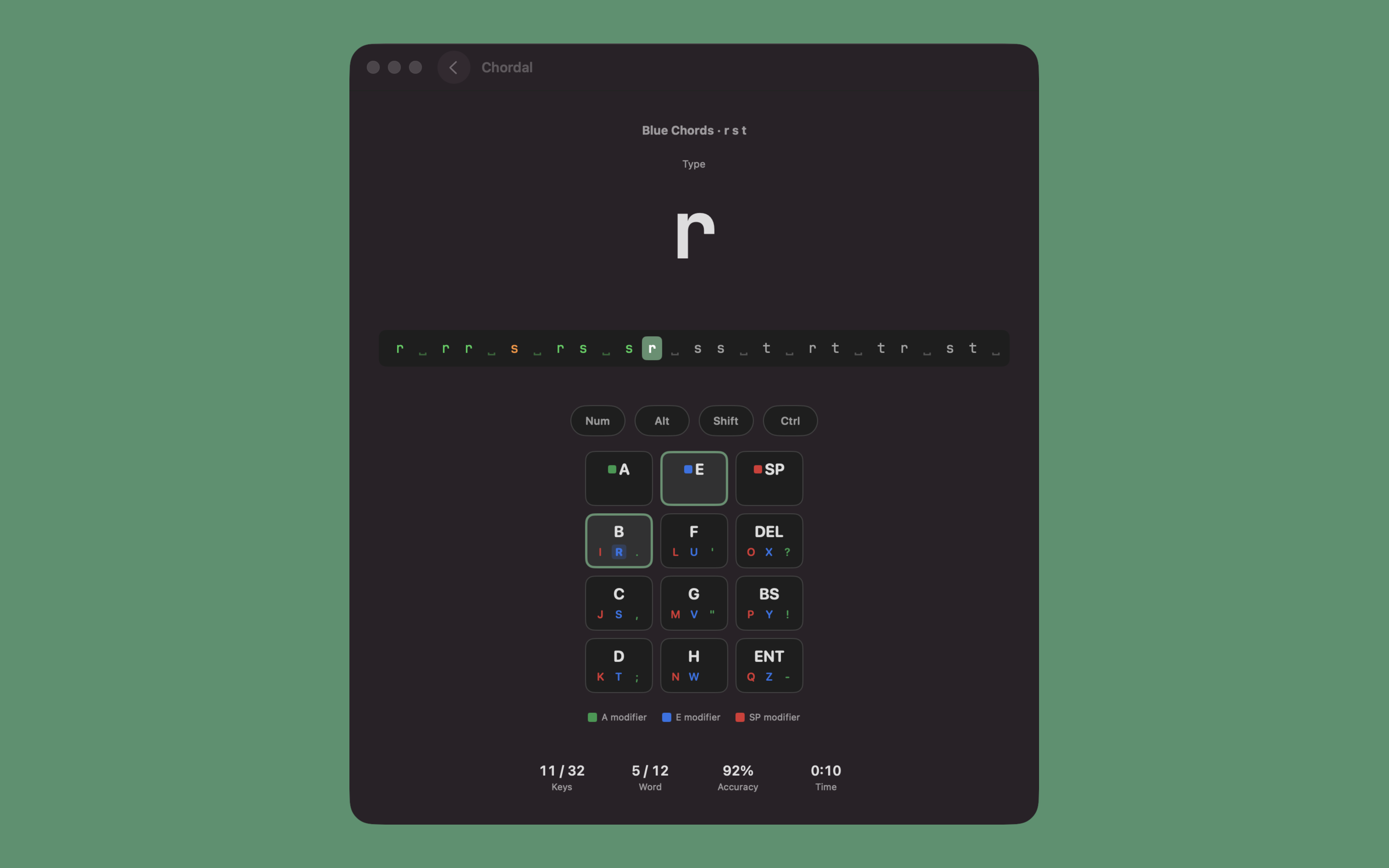
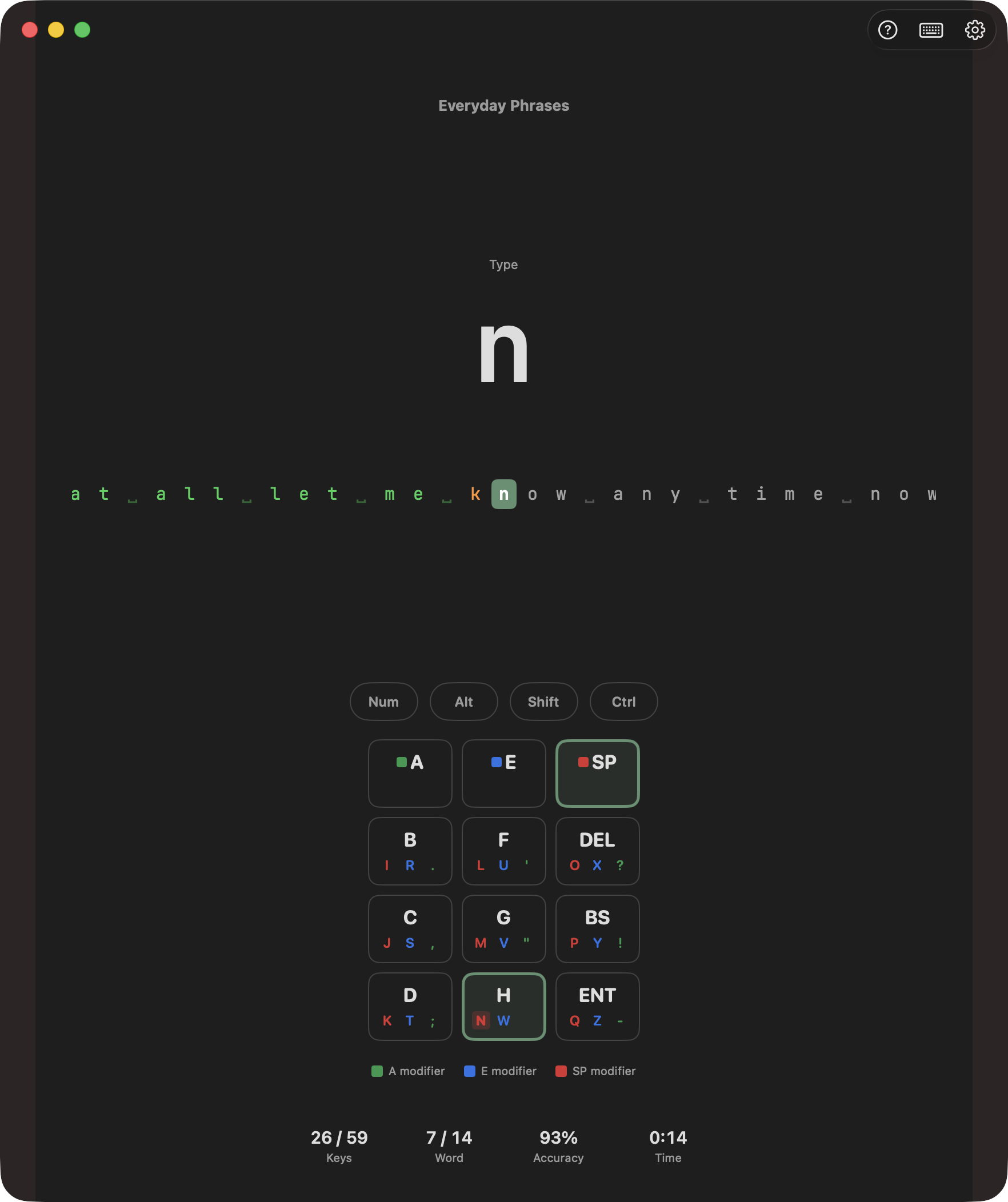
Twiddler 3 and Twiddler 4 layouts are built in, and you can import your own .cfg straight from the Twiddler Tuner. The on-screen chord diagram shows the exact button combo for each letter, then fades once your fingers take over.
Code practice
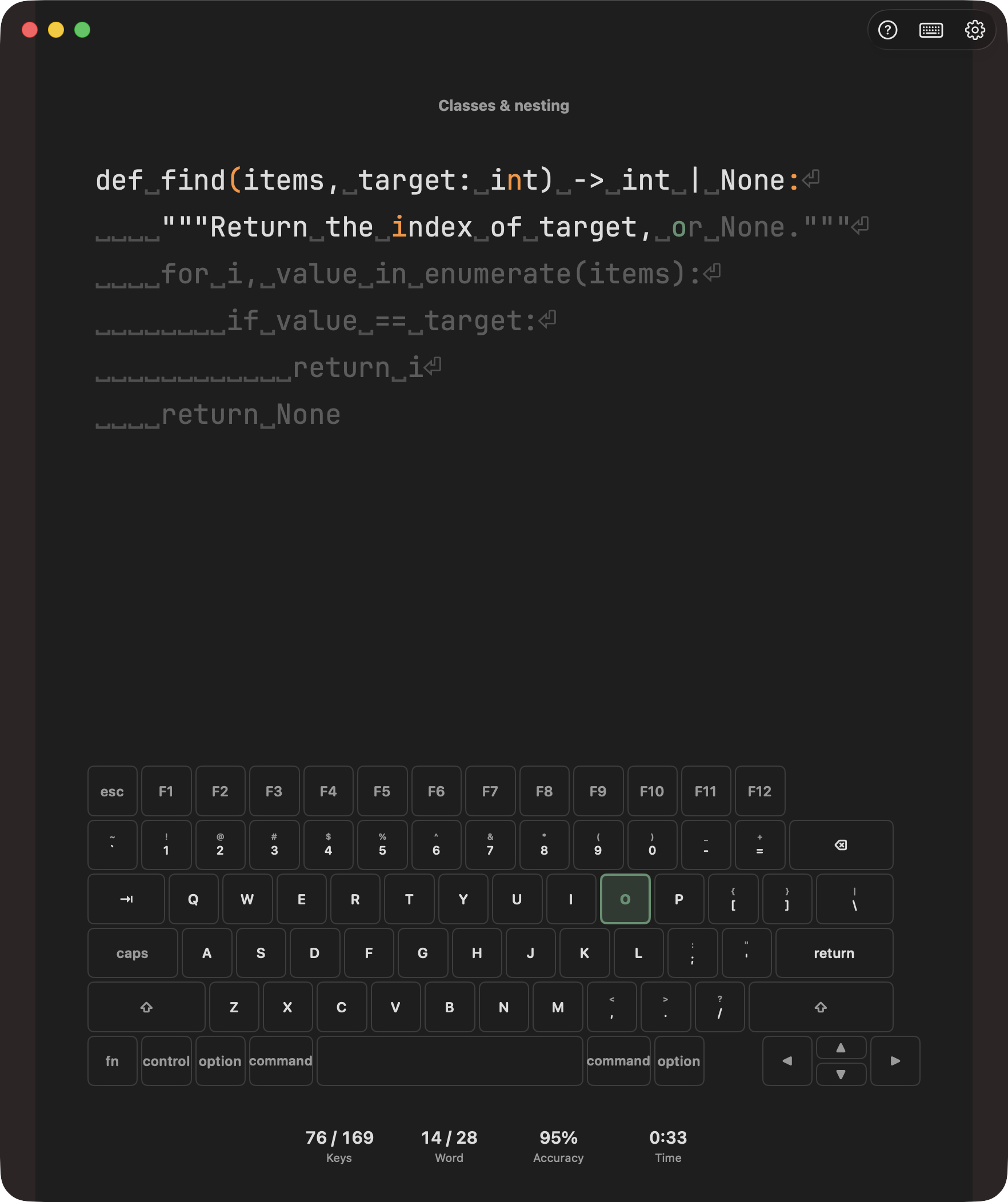
Drill real code, not just prose
A Developer category with per-language ladders that keep the formatting real code has. Start with Python and work through indentation, brackets, and the punctuation that trips typists up. History can be sliced by the Developer category so your code speed tracks separately.
Key mastery
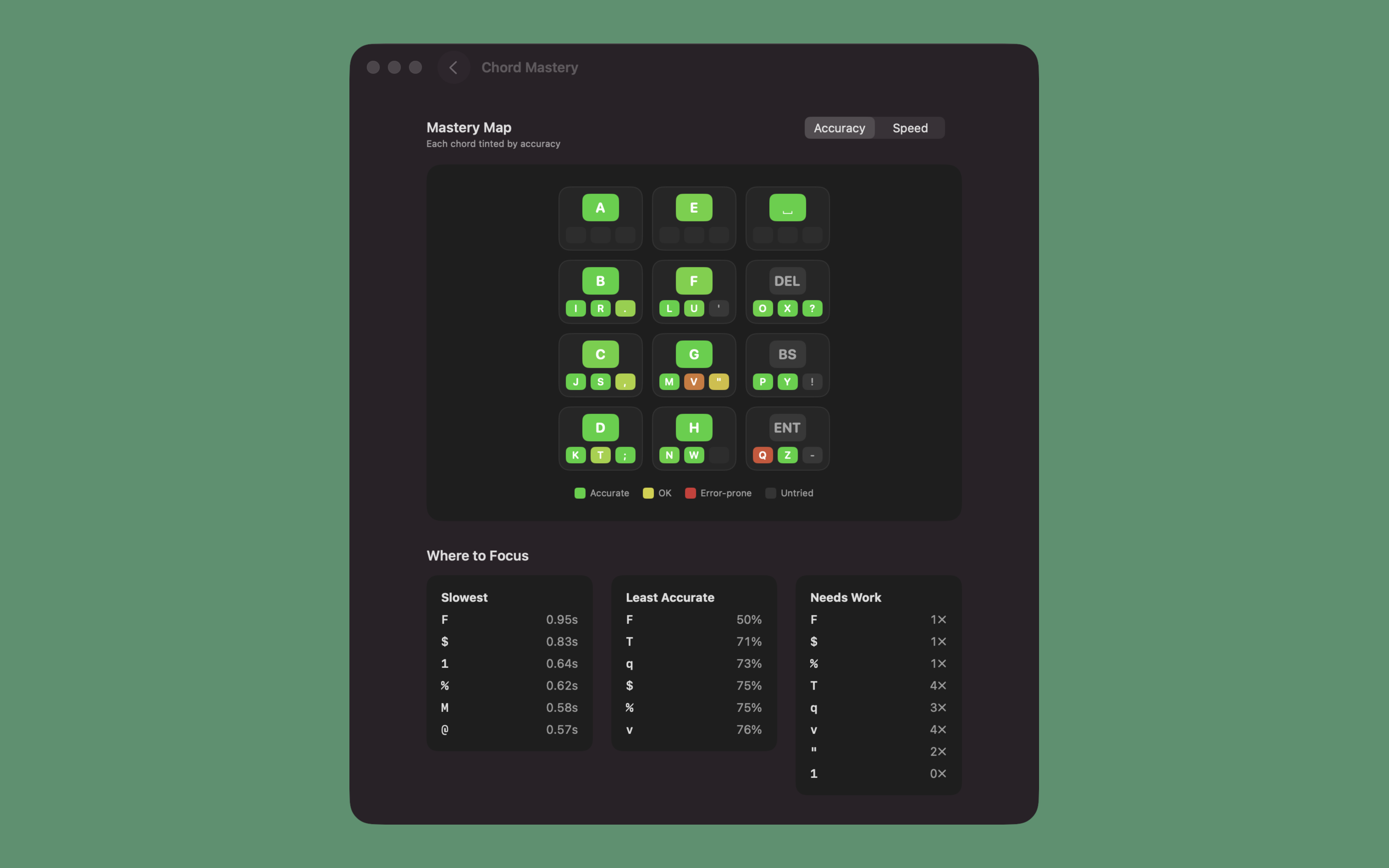
See what you've nailed and what still needs work
The Key Mastery map colors your whole layout by accuracy or by speed, green where you're solid and red where you're not, so your best and worst keys both stand out. Underneath, a “Where to Focus” list calls out the keys that are slowest and the ones you miss most, and Quick Practice drills exactly those.
Analyzer (Pro)
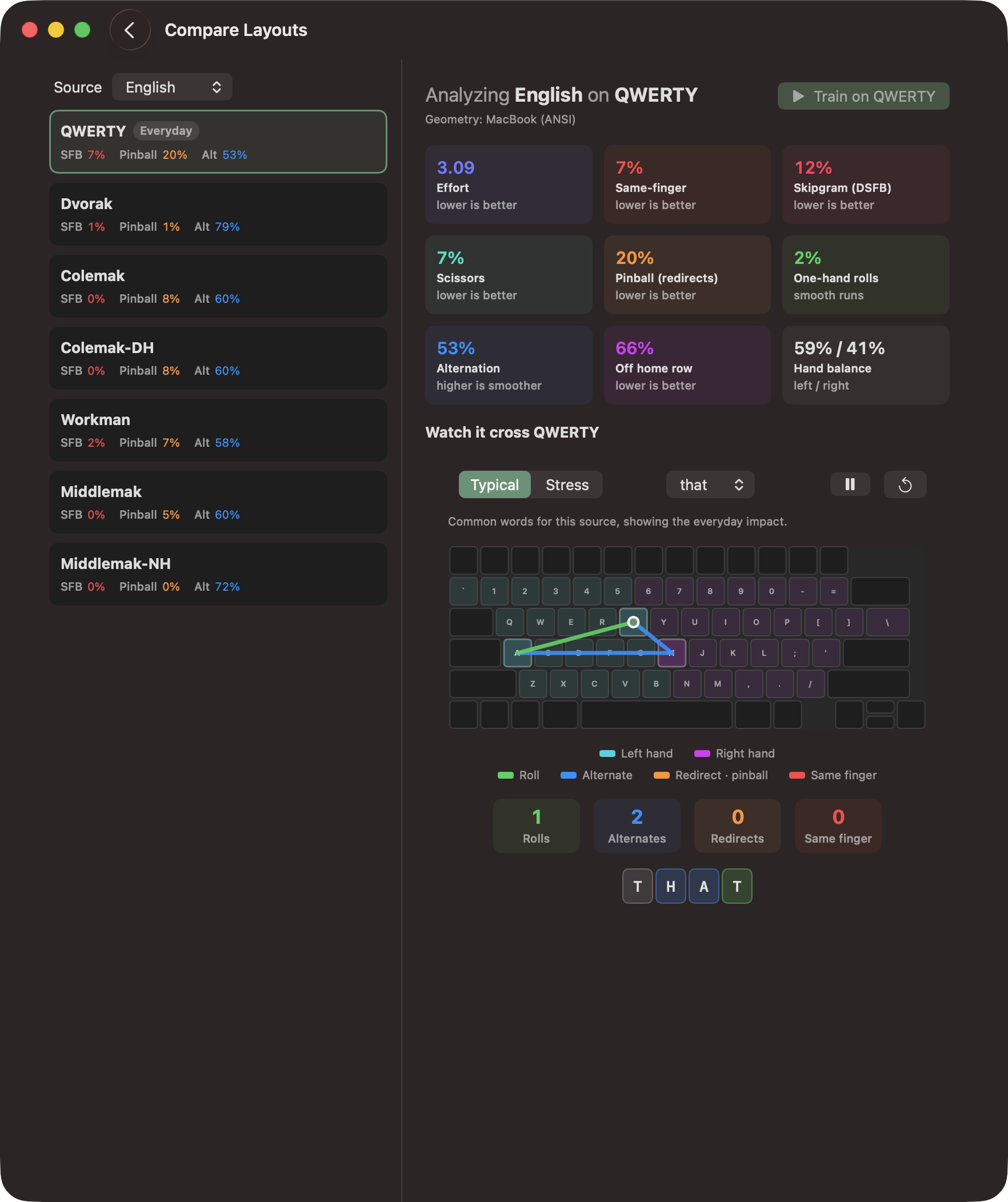
See if the layout itself is holding you back
Compare Layouts scores every built-in layout against English, code, or your own typing, on the board you use. My Bottlenecks then shows where you actually lose time on your current layout and drops your worst moves into a drill in one tap, so you know whether to keep grinding or switch.
Progress & history
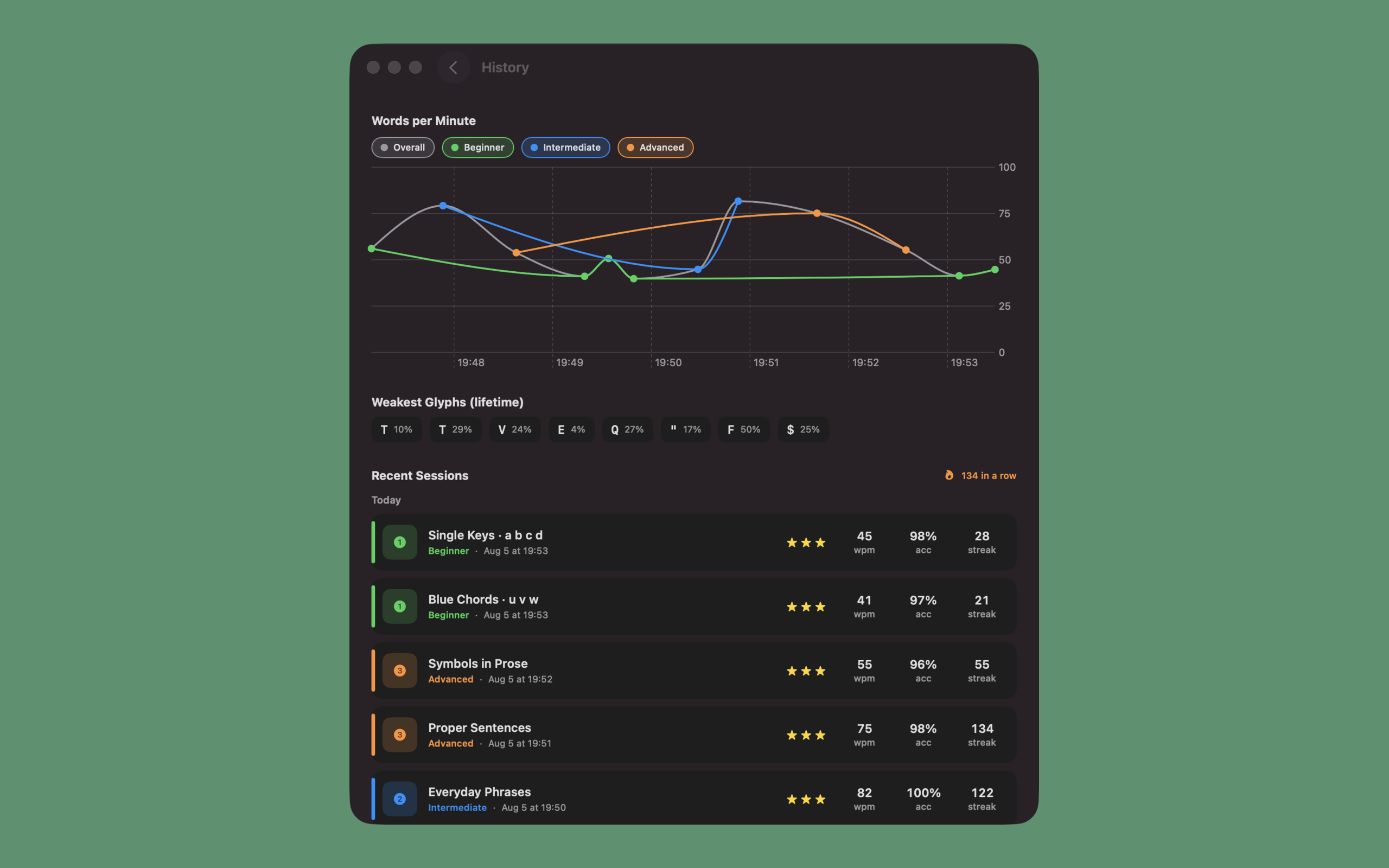
Chordal keeps score for you
You get a words-per-minute chart over time, your all-time weakest glyphs, and a full log of every session, kept per layout. Set daily and weekly goals, hold a streak, and see a month heatmap of the days you practiced. It's all stored on your device and syncs across your Apple devices through iCloud.
The whole curriculum is free. Go pro to level up.
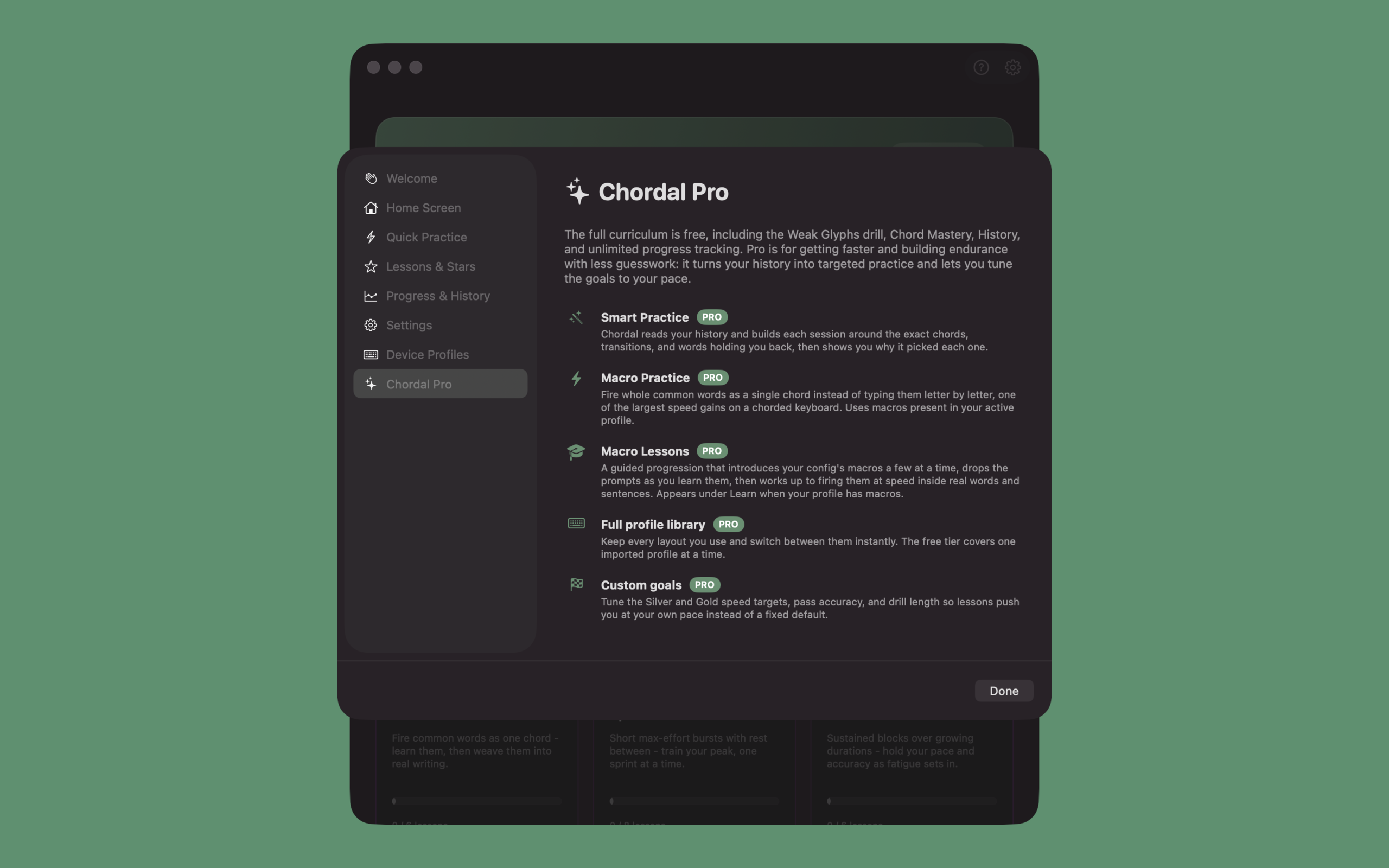
Weak Glyphs, Key Mastery, History, and unlimited tracking are all free. Pro adds the Layout Analyzer, turns your practice history into a Smart Practice plan, and layers on Speed and Endurance topics, macro training, deeper analytics, and goals you set yourself. It's one optional in-app purchase, not a subscription.
Compare Layouts PRO
Score every built-in layout against English, code, or your own typing on the board you use. Effort, same-finger, rolls, and pinball sit side by side, with a word tracing across each layout so the difference is visible, not just numeric.
My Bottlenecks PRO
An honest read on where you actually lose time on your current layout, and whether the answer is drill or switch. Drop your worst moves into a targeted drill in one tap.
Smart Practice PRO
A session that builds itself from your history and goes after the keys you're weakest on and the words you've gotten rusty at. It shows you why it picked each one before you start.
Speed & Endurance topics PRO
Two focused practice tracks. Speed runs short bursts that push your top end, and Endurance runs longer timed blocks that build the stamina to hold your pace.
Macro Practice & Lessons PRO
Fire off whole common words as a single chord instead of spelling them out. It's one of the biggest speed gains on a chorded keyboard, and Chordal walks you through it a step at a time.
Deeper analytics PRO
Usage and Change lenses on the mastery map, personal records, weekly insight cards that flag what's slipping, and a gauge for how well your speed carries to a new layout.
Full profile library PRO
Keep every layout you use and switch between them instantly, instead of one imported profile at a time.
Custom goals PRO
Set your own Silver and Gold speed targets, the accuracy you need to pass, and how long each drill runs. Lessons then move at whatever pace suits you.
Ready to master your keyboard?
Chordal is out now on the Mac App Store, with iOS and iPadOS on the way.
Download for macOS